A multi-camera robot setup can look perfect and still teach the wrong thing. If one camera’s pose is off by a few centimeters, every 3D point, grasp target and hand-to-object relationship in your dataset inherits that error. Robot camera calibration is the step that makes pixels mean something in the robot’s own coordinate frame.
This guide separates calibration into three layers, intrinsics, extrinsics and hand-eye calibration, explains what each one fixes, and shows how to validate a rig before collection starts. Get it right and every downstream step, from depth fusion to action labeling, rests on solid ground.
Three layers, three questions
| Layer | Question it answers | What you solve for |
| Intrinsics | How does this lens turn rays into pixels? | Focal length, principal point, distortion |
| Extrinsics | Where is each camera relative to the others or the world? | A rigid transform per camera |
| Hand-eye | Where is the camera relative to the robot? | Camera-to-gripper or camera-to-base transform |
Skip a layer and the error does not disappear. It moves downstream into depth estimates, grasp poses and action labels.
Intrinsics: calibrate the lens, then lock it
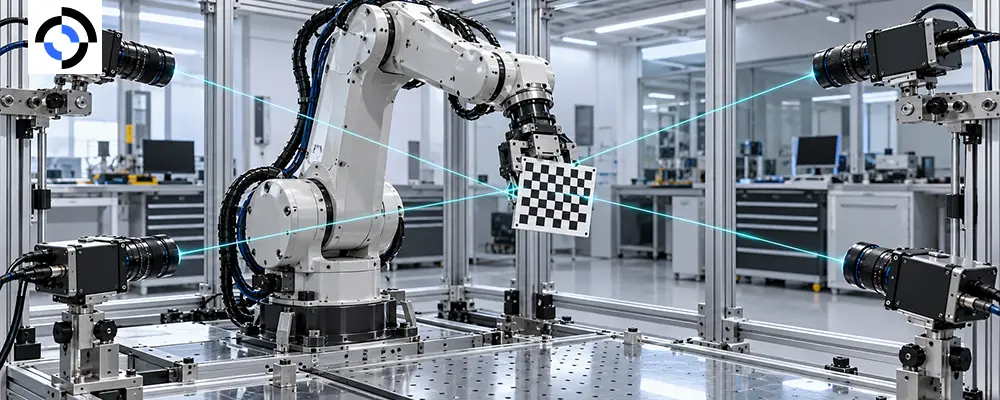
Capture many views of a target such as a checkerboard or AprilGrid, covering the full frame including the corners where distortion is worst. Then lock focus and exposure behavior. Kalibr even ships a tool for setting camera focus in a reproducible way, because an autofocus lens that hunts between episodes silently invalidates the calibration. Recalibrate after any lens, resolution or focus change.
Extrinsics: build one rigid rig
Extrinsic calibration solves each camera’s pose relative to the others, ideally from views of a shared target seen by overlapping cameras. Good sensor rig design makes this easier: rigid mounts, no flexing brackets, enough field-of-view overlap, and every camera fixed to a common frame. Moving-target captures also need frames taken at the same moment, so fix synchronization first.
Kalibr’s documentation notes that datasets suited to camera-IMU calibration are “not necessarily optimal for camera chain extrinsic calibration.” The lesson is to record a dedicated calibration sequence for each layer rather than reuse one recording.
Hand-eye calibration: tie cameras to the robot
Hand-eye calibration solves the classic AX = XB problem. In an eye-in-hand setup, a wrist camera is calibrated to the gripper. In an eye-to-hand setup, a fixed camera is calibrated to the robot base. Both work by moving the robot through many poses while observing a target.
OpenCV’s implementation offers the Tsai-Lenz, Park, Horaud, Andreff and Daniilidis methods, and it requires at least two motions with non-parallel rotation axes. In practice, use many varied poses with rotation about several axes, because near-degenerate motions give unstable results. Whether your cameras sit on the wrist or the head also changes what you calibrate; see wrist camera vs head camera robot data.
The trap: low reprojection error, wrong rig
A low reprojection error says the camera model fits the calibration images. It does not prove the rig is right in the world. Unbalanced views, a target seen from only one side or a flexing mount can all produce a pretty number and a bad transform. Rigs also change: brackets loosen, cables tug, temperature shifts.
Treat calibration as a perishable measurement. Validate it independently, for example by touching a known point with the robot tool and checking where each camera projects it. Kalibr also includes a validator that reports reprojection error statistics on live image streams. Recalibrate on a schedule and after any physical change.
A calibration checklist
- Fix lenses. Lock focus, resolution and exposure mode.
- Calibrate intrinsics per camera with full-frame target coverage.
- Calibrate extrinsics with a shared target, overlapping views and synchronized frames.
- Run hand-eye calibration with varied poses and rotations about multiple axes.
- Validate independently with a known-point test and a held-out set of images.
- Version the calibration and store it with every episode, with a rig ID and date.
- Re-check on a schedule and after any hit, remount or lens change.
For depth streams, add the steps in depth camera calibration best practices.
How Roborax approaches it
Roborax treats calibration as part of dataset quality, not setup trivia. Our multimodal sensor capture and teleoperation programs deliver synchronized RGB-D and other sensor streams, with sensor metadata and coordinate conventions preserved so the data stays usable as your stack changes. Our QA process checks for sensor drift, timestamp errors and inconsistent labels before delivery.
Frequently asked questions
Q: How often should I recalibrate a robot camera?
A: After any physical change such as a remount, bump, lens swap or focus change, and on a fixed schedule otherwise. Validate before each collection campaign.
Q: Do wrist cameras need hand-eye calibration?
A: Yes, if you want to convert what the camera sees into gripper or base coordinates. Without it, the wrist view is just an image.
Q: Can I calibrate extrinsics without overlapping fields of view?
A: Yes, with a chain-based method such as the one in Kalibr, which supports camera systems without globally shared overlap. Overlap still simplifies the job.
Building or auditing a camera rig? Talk to Roborax about your setup and we will help you plan calibration into your next collection run.
Related reading
External reference